Timeline timeline component
Effect demonstration
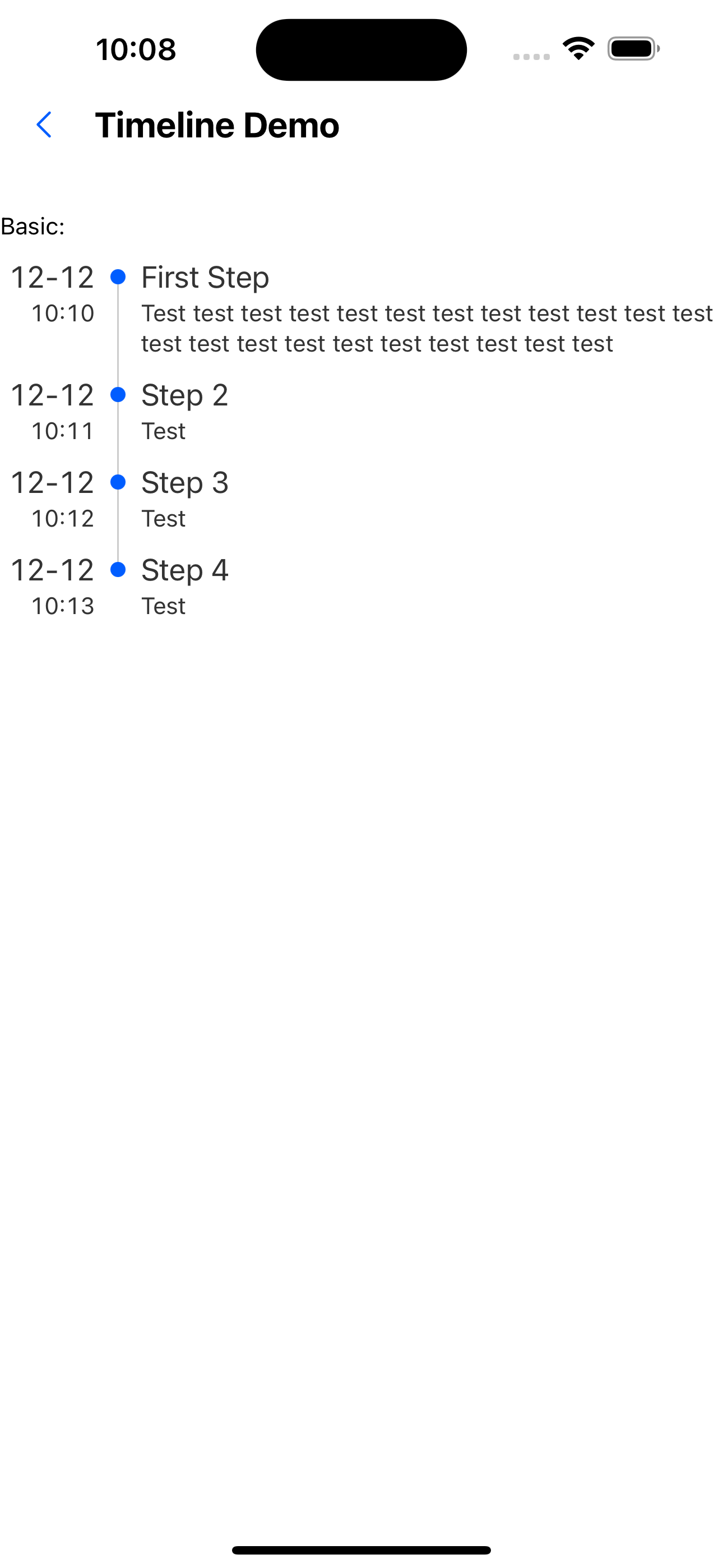
1. Basic usage
  const steps = [
    {
      title: 'First Step',
      description: 'Test test test test test test test test test test test test test test test test test test test test test test',
      date: '12-12',
      time: '10:10',
    },
    {
      title: 'Step 2',
      description: 'Test',
      date: '12-12',
      time: '10:11',
    },
    {
      title: 'Step 3',
      description: 'Test',
      date: '12-12',
      time: '10:12',
    },
    {
      title: 'Step 4',
      description: 'Test',
      date: '12-12',
      time: '10:13',
    },
  ];

  <Text>Basic:</Text>
  <WhiteSpace />
  <Timeline data={steps} />
2. Horizontal sliding
  const steps = [
    {
      title: 'First Step',
      description: 'Test test test test test test test test test test test test test test test test test test test test test test',
      date: '12-12',
      time: '10:10',
    },
    {
      title: 'Step 2',
      description: 'Test',
      date: '12-12',
      time: '10:11',
    },
    {
      title: 'Step 3',
      description: 'Test',
      date: '12-12',
      time: '10:12',
    },
    {
      title: 'Step 4',
      description: 'Test',
      date: '12-12',
      time: '10:13',
    },
  ];

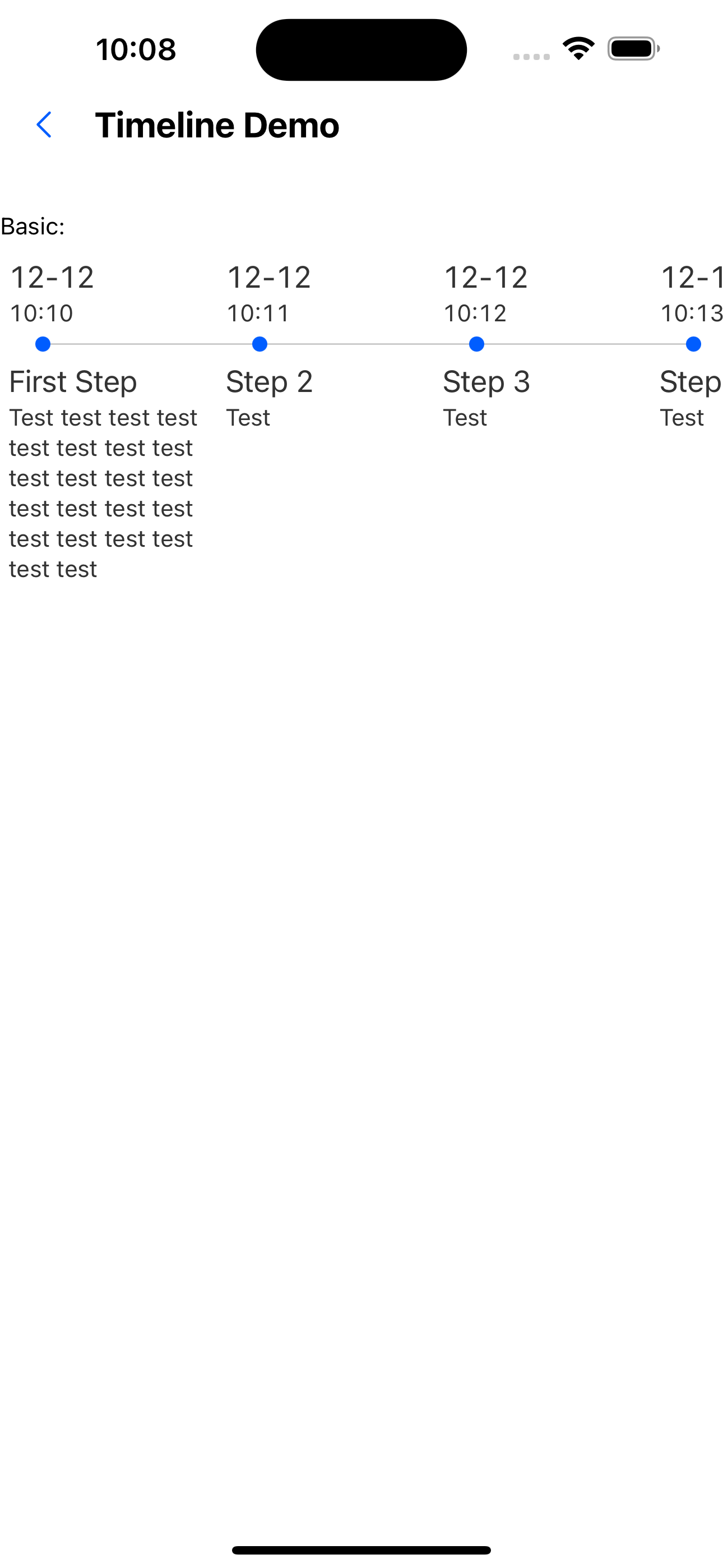
  <Text>Swipe horizontally:</Text>
  <Timeline data={steps} direction="horizontal" />
3. Customize small icons
  const steps = [
    {
      title: 'First Step',
      description: 'Test test test test test test test test test test test test test test test test test test test test test test',
      date: '12-12',
      time: '10:10',
    },
    {
      title: 'Step 2',
      description: 'Test',
      date: '12-12',
      time: '10:11',
    },
    {
      title: 'Step 3',
      description: 'Test',
      date: '12-12',
      time: '10:12',
    },
    {
      title: 'Step 4',
      description: 'Test',
      date: '12-12',
      time: '10:13',
    },
  ];
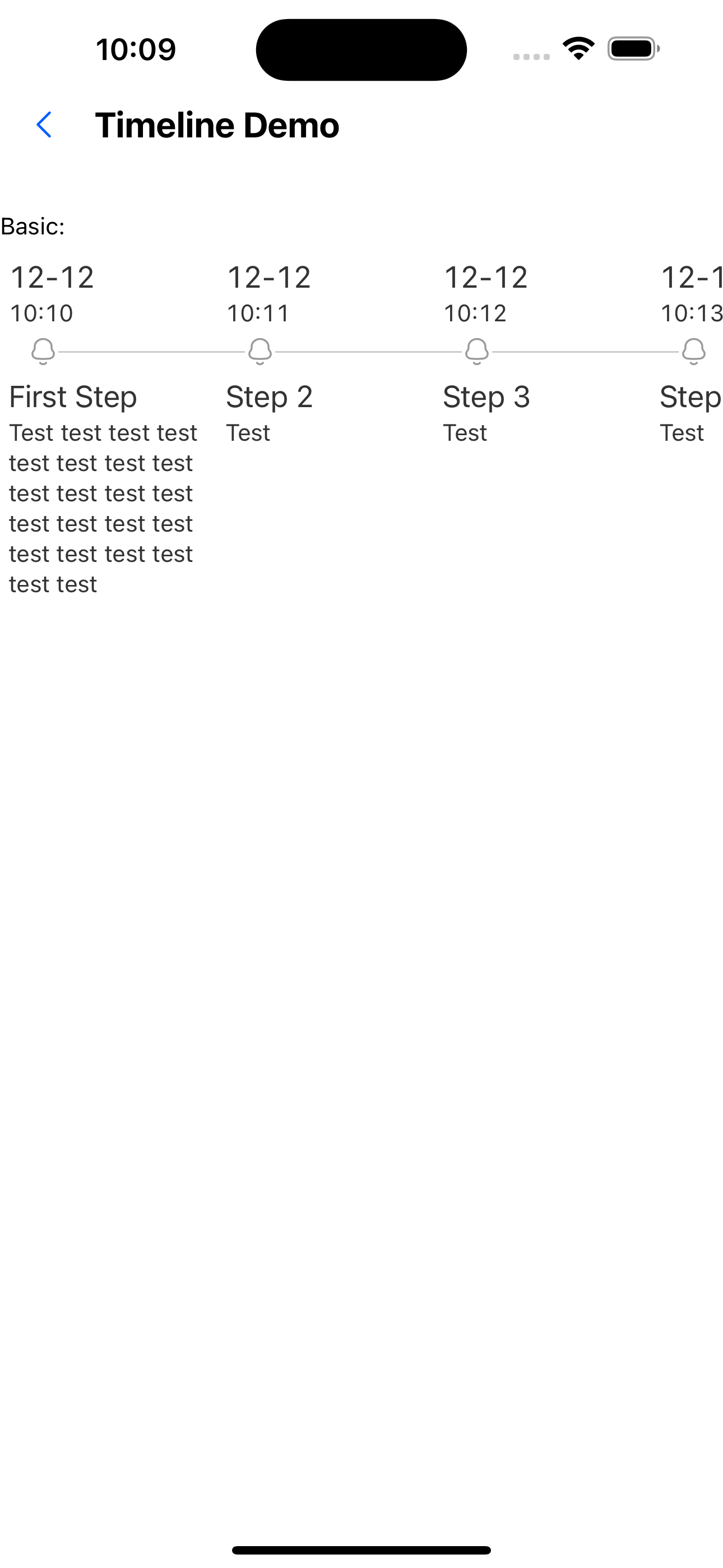
  <Text>Customized small icon:</Text>
  <WhiteSpace />
  <Timeline data={steps} customIcon={<SvgIcon name="bells"/>} direction="horizontal"  />
4. Customize line style
  const steps = [
    {
      title: 'First Step',
      description: 'Test test test test test test test test test test test test test test test test test test test test test test',
      date: '12-12',
      time: '10:10',
    },
    {
      title: 'Step 2',
      description: 'Test',
      date: '12-12',
      time: '10:11',
    },
    {
      title: 'Step 3',
      description: 'Test',
      date: '12-12',
      time: '10:12',
    },
    {
      title: 'Step 4',
      description: 'Test',
      date: '12-12',
      time: '10:13',
    },
  ];
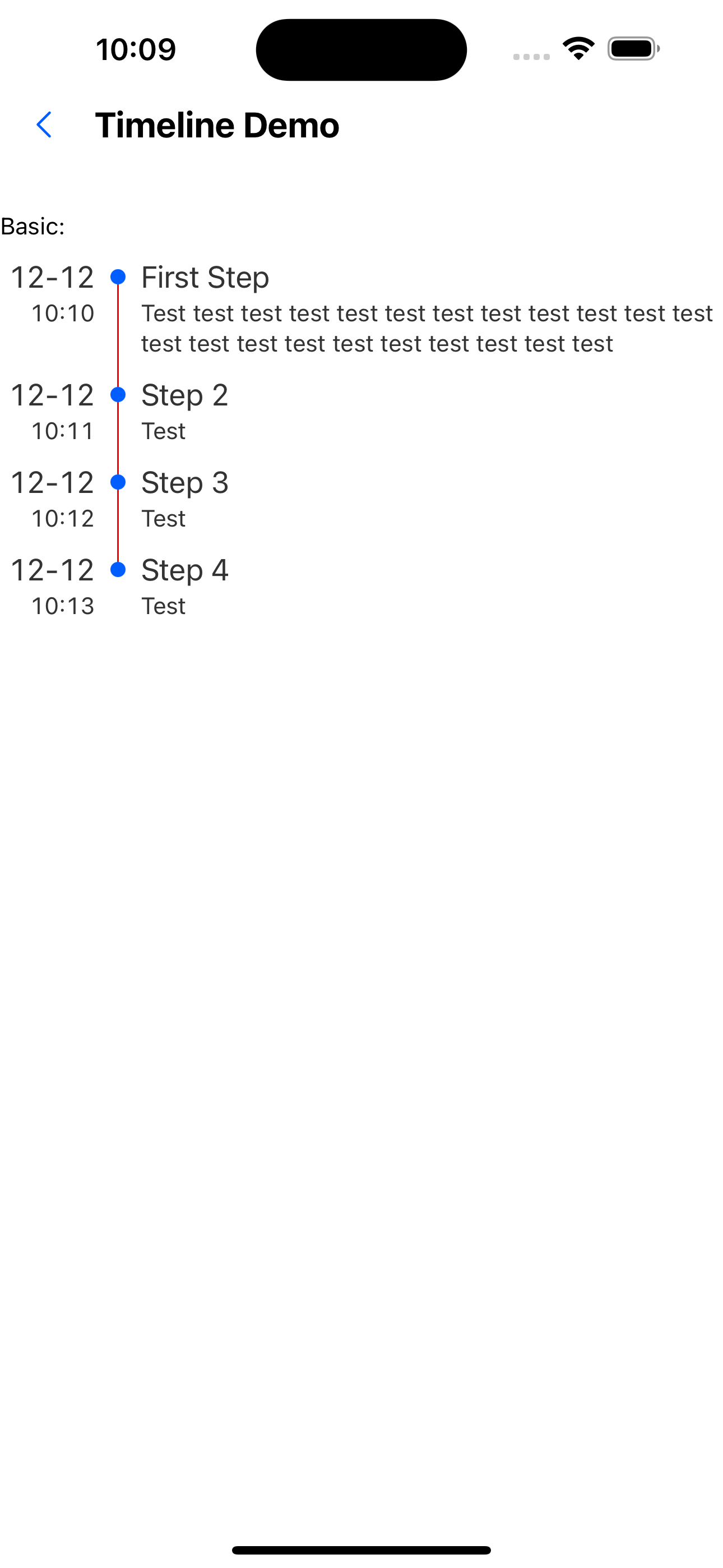
  <Text>Customized line style:</Text>
  <WhiteSpace />
  <Timeline data={steps} lineStyle={{backgroundColor: 'red'}} />
API
TimelineProps
| Properties | Required | Description | Type | Default Value |
|---|---|---|---|---|
| data | true | Timeline node data | TimelineStepProps[] | |
| direction | false | Timeline sorting direction | horizontal | vertical | vertical |
| customIcon | false | custom icon | ReactElement | |
| lineStyle | false | Line style | StyleProp<ViewStyle> |
TimelineStepProps
| Properties | Required | Description | Type | Default Value |
|---|---|---|---|---|
| title | false | The title of the timeline node | string | |
| description | false | The subtitle of the timeline node | string | |
| date | false | The date to the left of the timeline node | string | |
| time | false | The time to the left of the timeline node | string |